QSpace Pro alternative for Mac: who should switch, who should stay
Who QSpace Pro suits, who might want a file manager closer to Finder, a sourced comparison table, and when QSpace Pro is still the better choice.

In short
- QSpace Pro: 12 window layouts, over 20 archive types and a long list of servers and cloud services (a paid extension), on macOS 10.15 or later.
- FileOctopus: works like Finder, nothing to relearn, plus panes, fast filename search and Undo that survives a restart.
- Stay with QSpace Pro for RAR and 7z, FTP or SMB inside the app, an Intel Mac or a macOS older than 15.
Disclosure: FileOctopus is our app. QSpace Pro facts come from its own site, its changelog and its Mac App Store listing, linked below and checked 23 November 2026. Prices change, so we name the pricing model only.
A good QSpace Pro alternative depends on why you are looking. QSpace Pro is a capable multi-pane file manager with many layouts, archives and servers. People who want something closer to Finder, a fast filename search or a free plan with no time limit may prefer FileOctopus; people who want servers above all may prefer ForkLift 4 or Commander One.
- Many layouts, archives, many server types
 QSpace Pro
- Servers and sync above all
 ForkLift 4
 Commander One
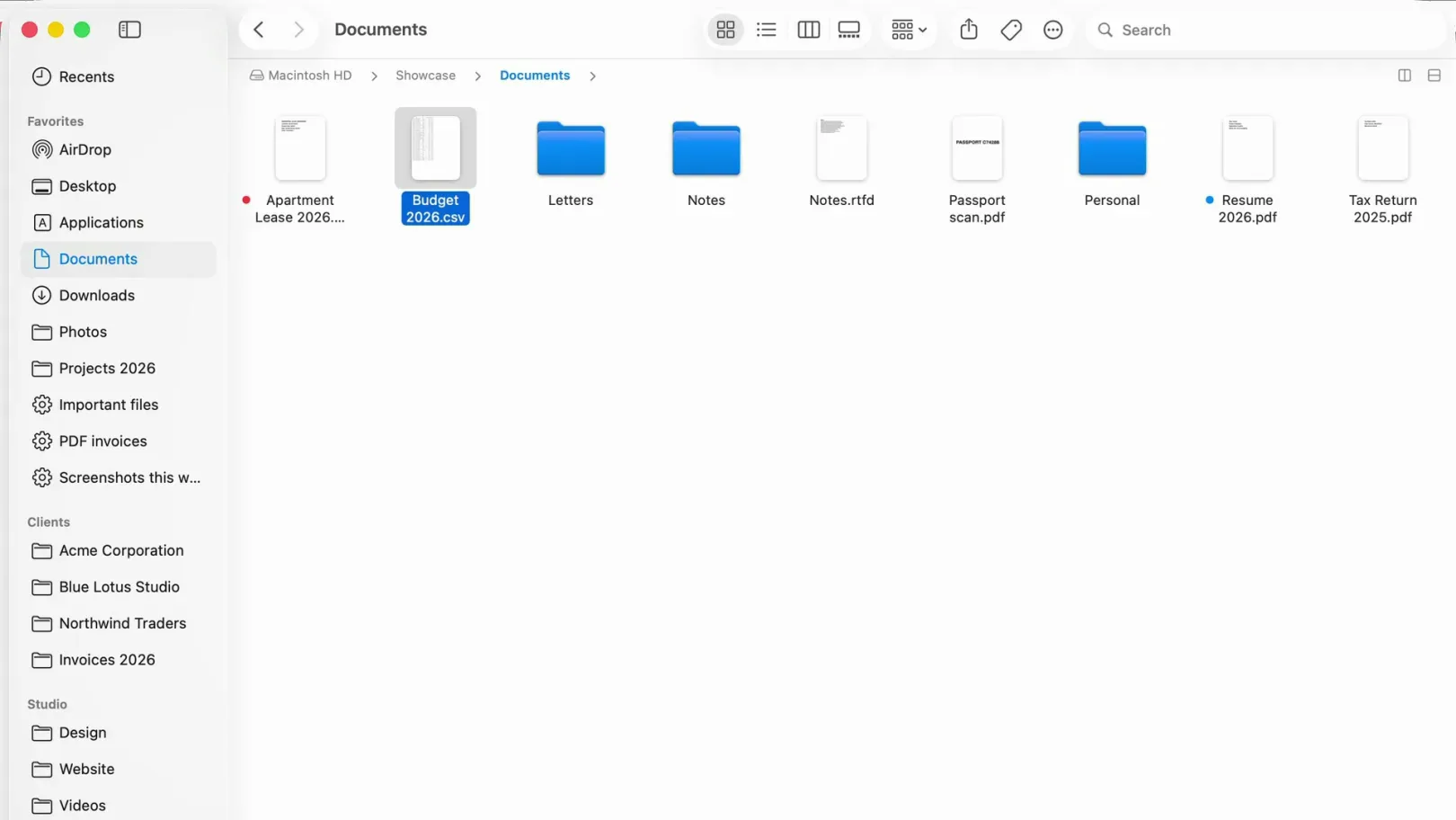
- Works like Finder, plus panes and fast search
 FileOctopus
Who is QSpace Pro great for?
Best for people who want many pane layouts, archives and remote storage in one window.
QSpace Pro describes itself as "a better Finder" (qspace.awehunt.com) and its Mac App Store subtitle is "Multi-Pane File Manager". It offers 12 preset layouts, or one you build yourself, and tabs you can drag to a pane edge to split it (App Store). The changelog dates 7.0.4 to 7 October 2026, with a 7.0.4 test build on 20 November 2026 that adds a Gallery view.
On its site
- 12 layouts, workspaces and View Profiles
- Extracts over 20 archive types, including RAR, 7z and TAR
- Folder compare and sync, including a hash compare
- Opens the current folder in Terminal, Ghostty, kitty, WezTerm and others
Paid extensions
- Server Connections: FTP, SFTP, WebDAV, SMB, NFS, AFP, Amazon S3, Dropbox, OneDrive, Google Drive and more
- Advanced Batch Rename with rules, regular expressions and a live preview
- Stash Shelf for collecting files
Who might want something else?
Some QSpace Pro users look elsewhere for one of four reasons. Each is a matter of fit, not of quality.
- You want Finder's own look and keys. QSpace Pro has Finder-style navigation but its own window and settings; an app built on Finder's views, sidebar and shortcuts asks you to learn less.
- You search by file name a lot. QSpace Pro's site doesn't describe its search; the App Store listing says it searches a folder and its subfolders, including tags and comments.
- You'd rather not add extensions one by one. QSpace Pro's servers, regex rename and shelf are each a paid extension on top of the app (pricing page).
- You want a free plan. QSpace Pro has a 30-day trial when bought directly and no trial on the Mac App Store, per its listing.
QSpace Pro and FileOctopus compared
QSpace Pro covers more server types and archive formats and runs on older Macs. FileOctopus stays closer to Finder, has its own filename index and a Free plan. The table shows what each app's own pages say.
| What you choose on | QSpace Pro | FileOctopus |
|---|---|---|
| Browsing | ||
| Layout | Yes: 12 preset layouts or your own; tabs; workspaces | Yes: Finder's views; 2 panes Free, 16 PRO; pane tabs; workspaces (PRO) |
| Search | Partly: Folder and subfolders, tags and comments (App Store) | Yes: Own name index plus Spotlight; text in documents and screenshots opt-in (PRO) |
| Servers and cloud | Paid extension: FTP, SFTP, WebDAV, SMB, NFS, AFP, S3, Dropbox, OneDrive, Google Drive (paid extension) | PRO: SFTP (beta), WebDAV, S3-compatible in a pane; cloud folders through their own apps |
| Tools | ||
| Archives | Yes: Extracts 20+ types; creates archives | PRO: Look inside zip, 7z, rar and tar, copy files out (read-only); compress to ZIP |
| Batch rename | Paid extension: Rules, regex, preview (paid extension) | Yes: Free: Replace Text, Add Text, Format, preview; no regex |
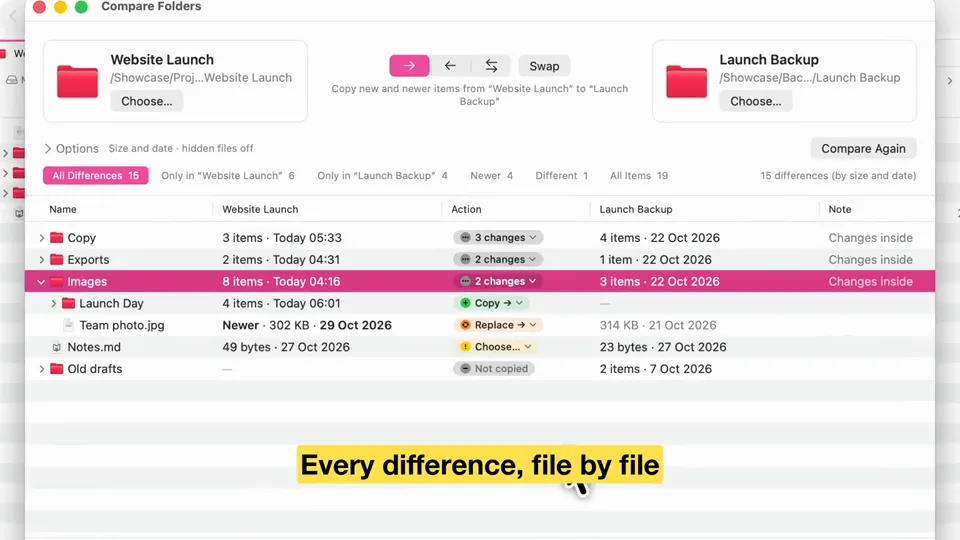
| Compare two folders | Yes: Compare and sync, hash compare | PRO |
| Find duplicates | Not stated: Not stated on their site | Yes: Scan Free; move copies to the Trash PRO |
| Undo | Not stated: Not stated on their site | Yes: Last 20 steps, also after relaunch (24 hours) |
| Requirements and price | ||
| Oldest macOS | 10.15 | 15.0 |
| Intel Macs | Yes: Intel and Apple chips | No: Apple Silicon only |
| Price model | One-time; some features are paid extensions; two devices at a time | Free plan; PRO one-time, 14-day trial |
| Languages | English and 13 more (App Store) | English, German |
| Latest version | 7.0.4, 7 October 2026 (test build 20 November) | 1.1.3, 23 November 2026 |
has it partly or paid extra no not stated in PRO. QSpace Pro cells: qspace.awehunt.com, its pricing page, changelog and Mac App Store listing, checked 23 November 2026. The Enhanced Archiver extension is listed as free. The App Store edition can differ from the direct one (their FAQ). FileOctopus also shows iCloud Drive, Google Drive and Dropbox folders through the providers' own apps.
Want Finder's feel with panes and a fast filename search? Download FileOctopus; the Free plan has no time limit.
When QSpace Pro is the better choice
QSpace Pro is the better pick for several kinds of work that FileOctopus doesn't cover today. Stay with QSpace Pro, or pick it, if:
- You extract or create many archive types. QSpace Pro extracts over 20. FileOctopus looks inside zip, 7z, rar and tar archives and copies files out (PRO, guide), but creates only ZIP.
- You need FTP, SMB, NFS, OneDrive or Google Drive inside the app. FileOctopus browses SFTP, WebDAV and S3-compatible storage, mounts SMB and other shares the way Finder does, and shows cloud folders only through the providers' own apps.
- You run an Intel Mac or a macOS older than 15. QSpace Pro supports macOS 10.15 and both chip types.
- You rename with regular expressions. FileOctopus batch rename has no regex.
- You want the app in French, Japanese, Chinese or another of its 14 languages. FileOctopus is in English and German.
- You buy through the Mac App Store. QSpace Pro is there; FileOctopus is a download from its own site.
What FileOctopus does differently
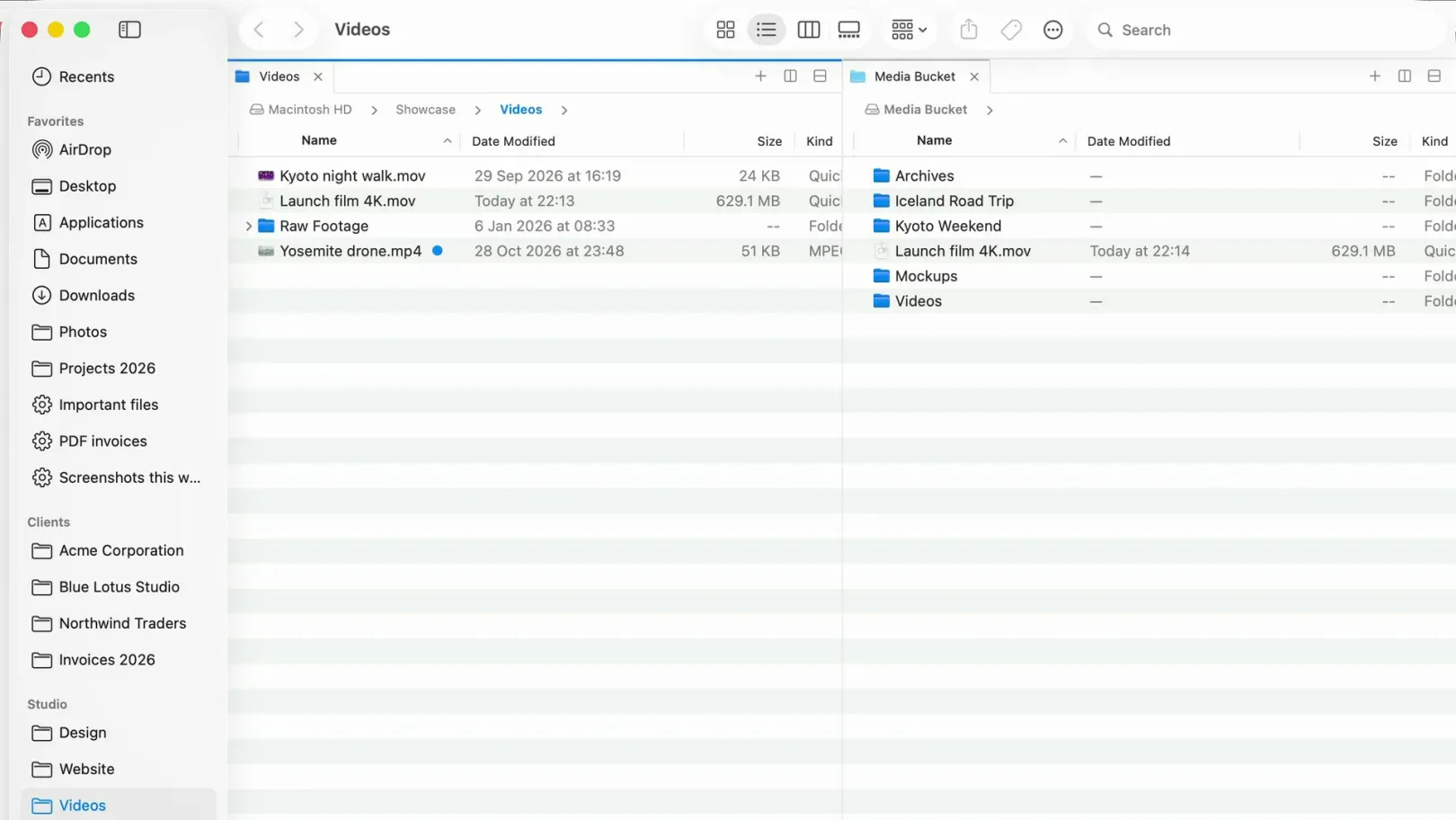
Works like Finder, nothing to relearn: same views, sidebar, Quick Look and shortcuts, plus panes, search that answers as you type and safer file operations.
Good at
Keep in mind
- Batch rename has no regular expressions
- Archives: looks inside zip, 7z, rar and tar (PRO, read-only) but creates only ZIP
- SFTP servers and Amazon S3 are still a beta; the limits page lists what it doesn't do yet
How do I switch from QSpace Pro?
Switching from QSpace Pro to FileOctopus takes a few minutes, and both apps can stay installed side by side.
- Your files stay put; neither app moves files on install or removal.
- Drag favourite folders into the sidebar's Favorites, as in Finder.
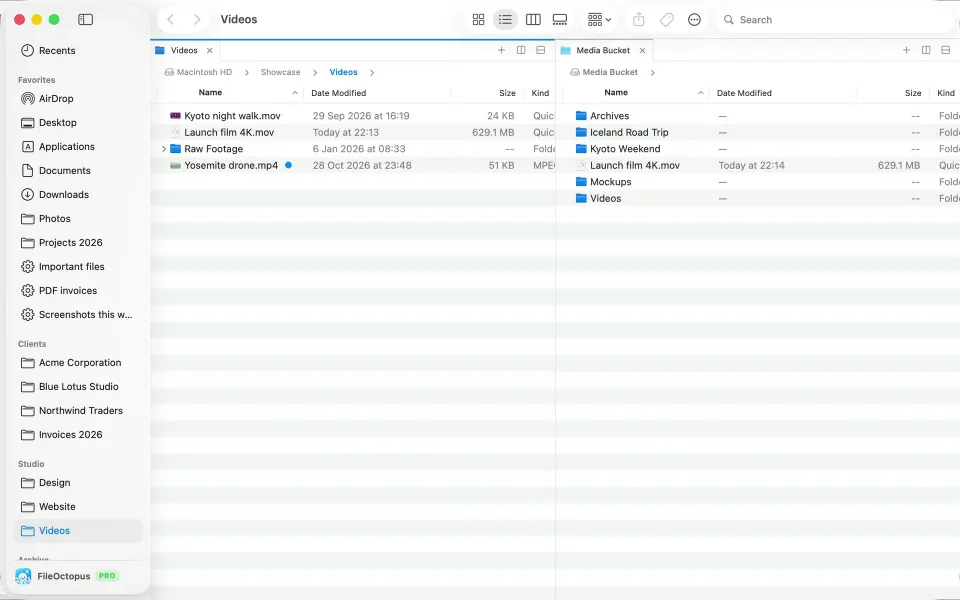
- View ▸ Pane Layout ▸ Side by Side gives two panes; Window ▸ Save Workspace… keeps a layout (PRO).
- Add folders you search often in FileOctopus ▸ Settings… ▸ Search to index their names.
- If QSpace Pro opens "Reveal in Finder" for you, turn that off in its Open Mode setting first, then turn on Use FileOctopus instead of Finder in FileOctopus ▸ Settings… ▸ General (guide).
Questions people ask
Can QSpace Pro replace Finder?
Not completely, and QSpace says so: its FAQ states it "cannot completely replace Finder at present" and can take over "Reveal in Finder" after a restart (QSpace FAQ, checked 23 November 2026). The same is true of every third-party file manager, FileOctopus included: macOS keeps Finder for the Desktop and Open and Save dialogs (FileOctopus vs Finder).
Is there a free alternative to QSpace Pro?
Nimble Commander is free and open source, and FileOctopus Free has no time limit: two panes, file operations with Undo, batch rename and filename search. Our best Finder alternatives compares nine apps in one table.
QSpace Pro or Bloom?
Both are multi-pane Finder replacements sold as a one-time purchase. QSpace Pro lists more server types and archive formats and runs on macOS 10.15; Bloom needs macOS 14. See our Bloom alternative page for Bloom's side.
Which other apps did you compare?
We have separate pages for Path Finder, ForkLift and Bloom, each with a "when it is the better choice" section.
Like Finder but want panes and faster search? Download FileOctopus; the Free plan has no time limit, and PRO is a one-time purchase.
Sources
Checked on 23 November 2026: QSpace Pro home page, QSpace Pro pricing, QSpace Pro changelog, QSpace FAQ: replacing Finder, QSpace FAQ: App Store and Pro editions, QSpace on the Mac App Store. We found no dated 2025 or 2026 review to add. FileOctopus facts are from our guide and limits page.
The QSpace Pro icon comes from its maker's site (qspace.awehunt.com) and, in the cover image, its Mac App Store listing; it belongs to its maker. Spotted a mistake? Write to support@fileoctopus.com and we'll correct it.