File Explorer for Mac: a guide for Windows switchers
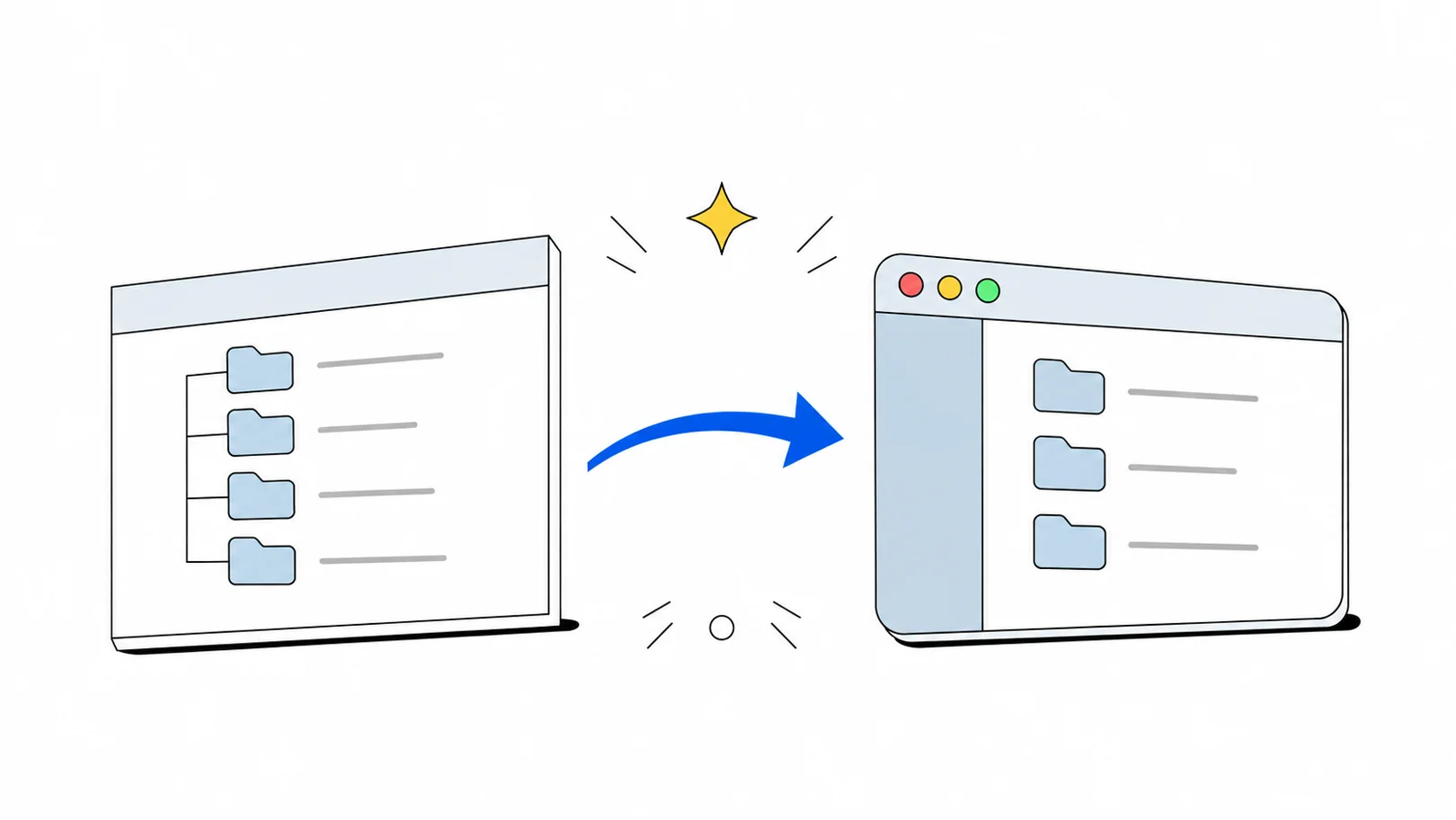
The Mac's File Explorer is Finder. How to open files, cut and paste, copy a path, show hidden files and folder sizes, with each Explorer key mapped to Finder.
In short
- The Mac's File Explorer is Finder. It does almost everything Explorer does, but some everyday keys differ.
- Return renames instead of opening; ⌘O or ⌘↓ opens.
- Cut and paste is copy (⌘C) then move (⌥⌘V).
- ⌘⌫ moves a file to the Trash.
Disclosure: we make FileOctopus, a Mac file manager. Each section gives the built-in Finder answer first; the last part shows what FileOctopus adds for Explorer habits. Menus and keys were checked against Apple Support on 4 November 2026.
Is there a File Explorer for Mac?
Yes: Finder, which is always running; Microsoft doesn't make File Explorer for macOS. Click its icon (the blue face) at the left end of the Dock, or press ⌘N while Finder is active.
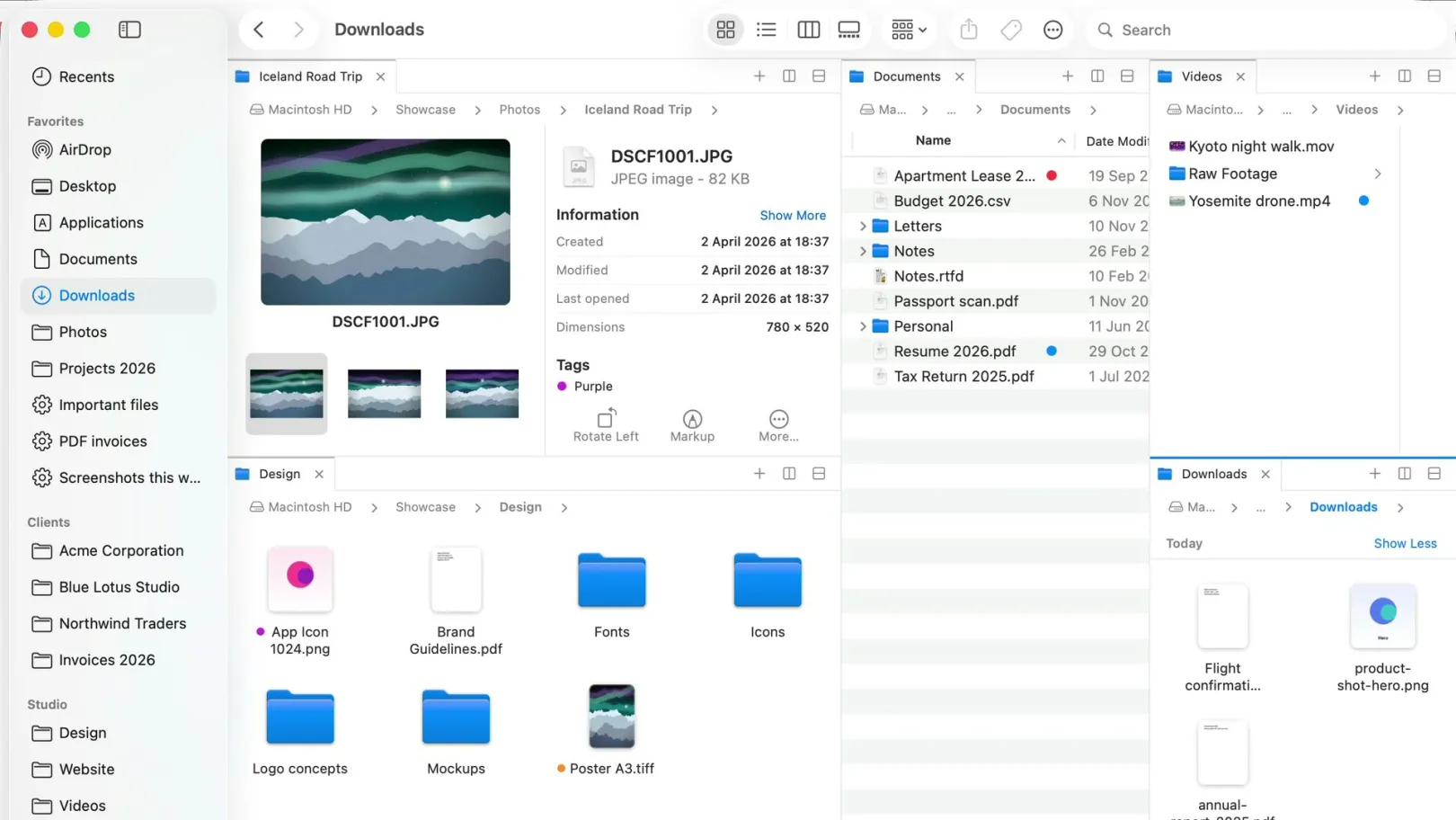
- Familiar parts: tabs, a sidebar with favourite folders and disks, four views (Icons, List, Columns, Gallery).
- Quick Look: press Space to preview a file.
- Keys: ⌘ Command does most of what Ctrl does on Windows, and ⌥ Option sits where Alt was. Apple's Mac keyboard shortcuts page lists the Finder keys.
File Explorer vs Finder: the keys that change
The built-in Finder way on macOS 15 Sequoia, macOS 26 Tahoe and later:
| In File Explorer |  In Finder |
|---|---|
| Open and move around | |
| Open a file or folder: Enter | ⌘O or ⌘↓, or double-click |
| Go up a folder: Alt+↑ | ⌘↑ |
| Back and forward | ⌘[ and ⌘] |
| Address bar | View ▸ Show Path Bar (⌥⌘P); Go ▸ Go to Folder (⇧⌘G) |
| Search: Ctrl+F or Ctrl+E | ⌘F |
| Change files | |
| Rename: F2 | Return, or File ▸ Rename |
| Cut and paste: Ctrl+X, Ctrl+V | ⌘C, then ⌥⌘V at the destination |
| Delete to the Recycle Bin: Delete | ⌘⌫ (Move to Trash) |
| New folder: Ctrl+Shift+N | ⇧⌘N |
| Copy as path | ⌥⌘C (Copy “item” as Pathname), or Control-click a folder in the path bar |
| See more | |
| Properties: Alt+Enter | ⌘I (Get Info) |
| Show hidden files | ⇧⌘. |
| Preview pane | View ▸ Show Preview (⇧⌘P), or Space for Quick Look |
On a Mac keyboard, the key labelled delete works like Backspace. Alone it does nothing to a file in Finder; you need ⌘ with it, which protects against deleting by accident.
How do you cut and paste files on a Mac?
Finder has no Cut for files. Copy, then paste with a key that moves:
- Select the files and press ⌘C.
- Open the destination folder.
- Press ⌥⌘V. Apple's shortcut list says it moves "the files in the Clipboard from their original location to the current location".
Dragging works too (Apple Support):
- Same disk: dragging moves. Hold ⌥ to copy instead.
- Another disk: dragging copies. Hold ⌘ to move instead.
How do you see the full path of a folder?
- Show it: View ▸ Show Path Bar (⌥⌘P) adds a row of folders at the bottom; double-click one to go there.
- Type it: press ⇧⌘G (Go ▸ Go to Folder), type something like
~/Documents/Invoicesand press Return. - Copy it: Control-click the folder in the path bar, choose Copy “folder” as Pathname (Apple Support). Or select an item and press ⌥⌘C, the Edit menu’s Copy with Option held.
Mac paths use forward slashes and start at the disk, for example /Users/you/Documents. There are no drive letters.
Where are This PC and the C: drive?
- Your internal disk is usually called Macintosh HD.
- Your files live in your home folder (the one with your user name): Desktop, Documents, Downloads and the rest. Press ⇧⌘H to go there.
- External drives, memory cards and network shares appear in the sidebar under Locations and in Go ▸ Computer (⇧⌘C).
- Missing a disk or your home folder in the sidebar? Tick it in Finder ▸ Settings ▸ Sidebar (for disks: Hard disks, External disks).
How do you show hidden files and folder sizes?
- Hidden files: press ⇧⌘. (Shift, Command, period); again to hide. Hidden items appear dimmed. For just your Library folder, open the Go menu, hold ⌥ and choose Library.
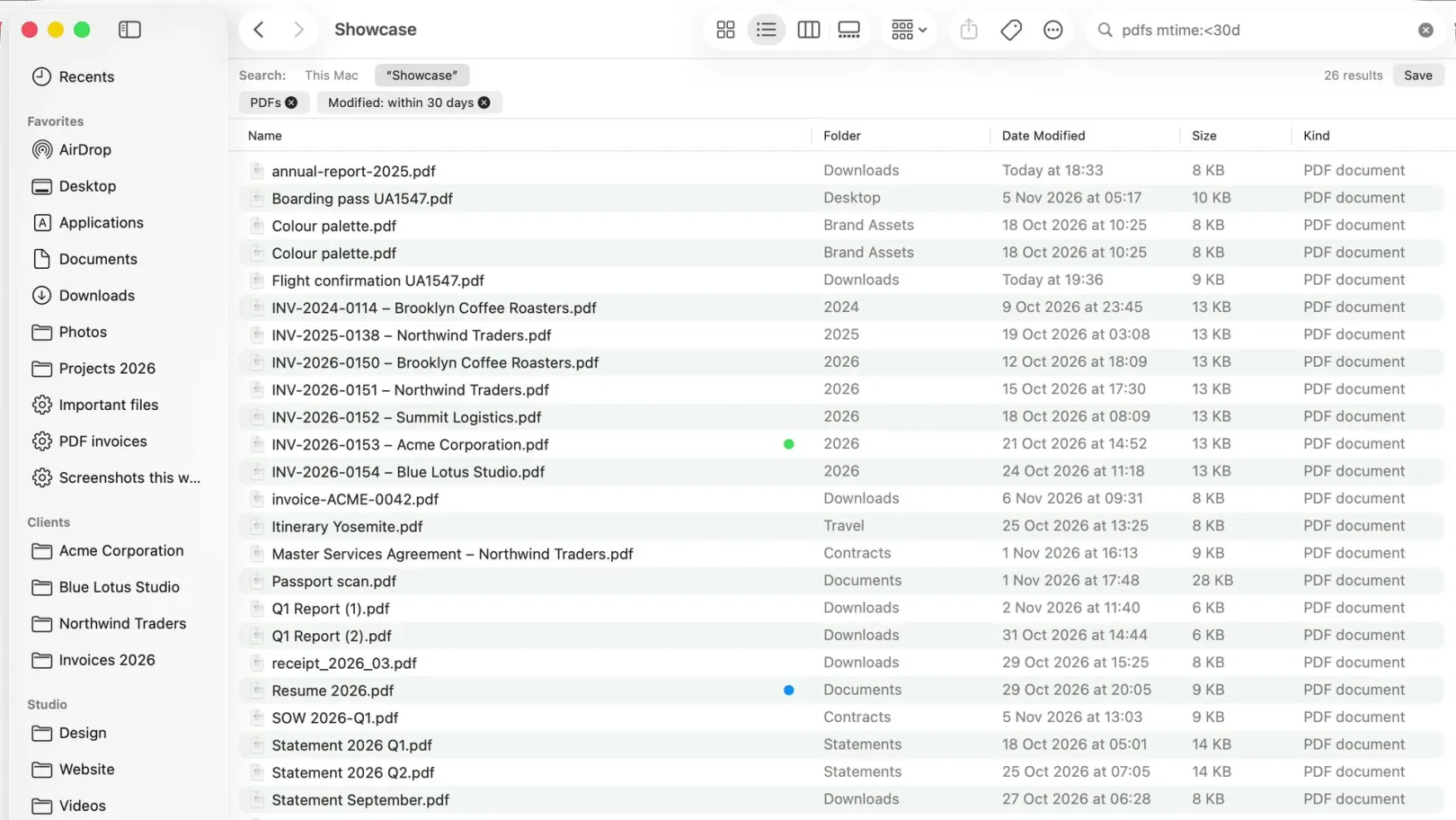
- Folder sizes: Explorer's list doesn't show them; Finder can. In List view (⌘2), View ▸ Show View Options (⌘J) ▸ Calculate all sizes. Large folders take a moment. For one folder, press ⌘I.
Can Finder show two folders side by side?
Not in one window. Since macOS 15 Sequoia you can tile two Finder windows to the screen halves, and tabs (⌘T) switch folders in one window. How to see two folders side by side on a Mac covers the built-in ways and when a dual-pane app is worth it.
 Explorer habits in FileOctopus
Works like Finder, nothing to relearn: the same four views, sidebar, Quick Look and Finder shortcuts. Windows habits are options in FileOctopus ▸ Settings ▸ Advanced, off until you turn them on.
| Explorer habit | Finder | FileOctopus |
|---|---|---|
| Return opens the item | No: Return renames | Yes: option |
| Cut files with ⌘X | No: text only | Yes: option |
| Type a path in a bar at the top | Partly: Go to Folder | Yes: ⌃⌘L |
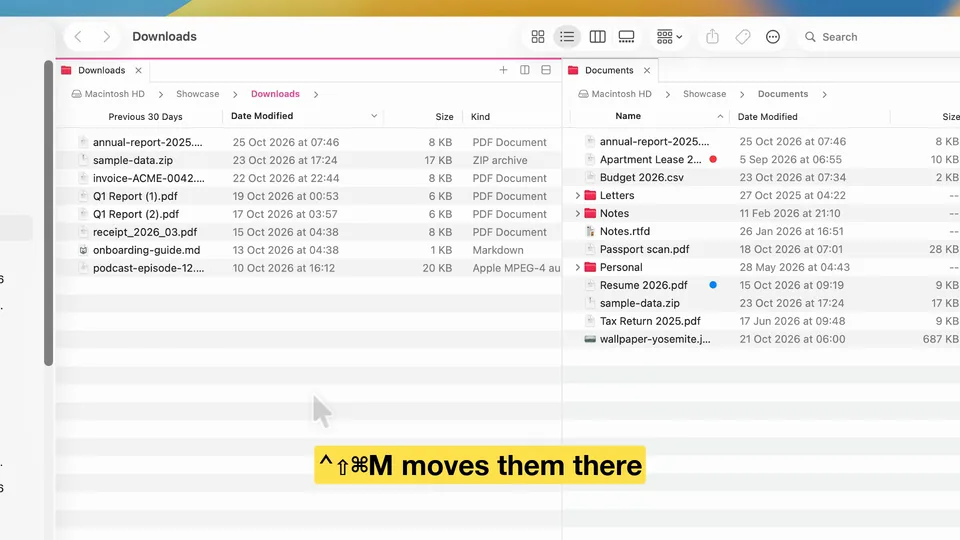
| Two folders in one window | No | Yes: panes |
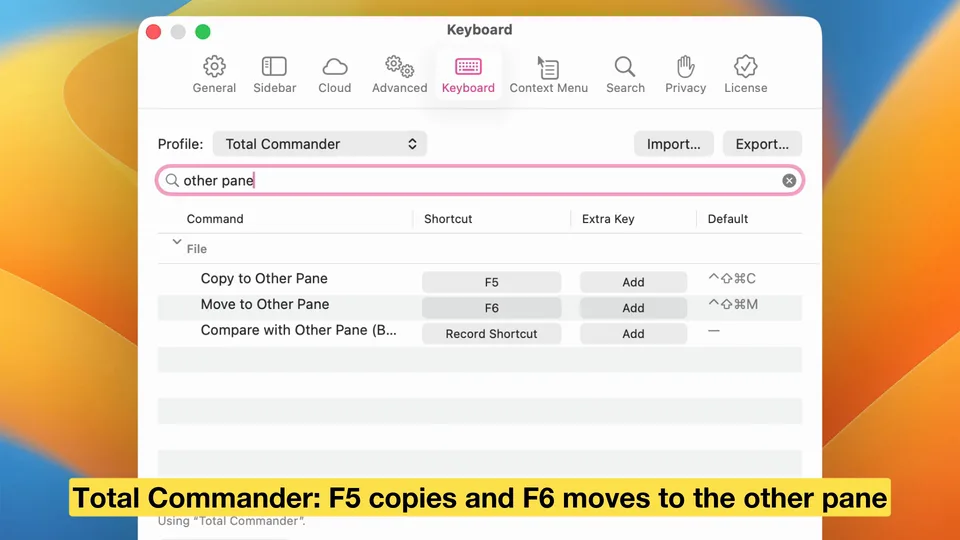
| F5 and F6 copy or move to the other pane | No | Yes: Total Commander profile |
- Return opens: folders in the pane, files in their app. Rename with F2 (fn-F2 on most Mac keyboards) or File ▸ Rename.
- ⌘X cuts: icons fade; ⌘V elsewhere moves them, with name-conflict choices, progress and Edit ▸ Undo. Esc cancels. Pasting into another app, such as Finder, copies.
- Profiles (Settings ▸ Keyboard): Windows Explorer turns on both; delete alone still doesn't trash (⌘⌫ does). Total Commander: F5/F6 copy/move to the other pane, F7 New Folder, F8 Move to Trash.
- Location Bar: the path as clickable folders atop each pane; click empty space or press ⌃⌘L to type one, with suggestions.
- Panes: ⌃⇧⌘C and ⌃⇧⌘M copy or move the selection to the other pane.
Free, with no time limit: browsing, file operations with Undo, batch rename, filename search, two panes per window. PRO (14-day trial) adds up to 16 panes, named workspaces and more (pricing).
What stays with Finder
A second file manager runs next to Finder, not instead of it. The Desktop, Finder's Dock icon and apps' Open and Save dialogs always stay with Finder. FileOctopus can take over Show in Finder from other apps if you turn on Use FileOctopus instead of Finder, reversible at any time. The limits page lists what FileOctopus doesn't do yet.
Questions people ask
How do I open a file with the keyboard in Finder?
Press ⌘O or ⌘↓. Return starts renaming, and Finder has no setting to change that.
Is there Ctrl+X for files on a Mac?
Not in Finder: ⌘X only cuts text. Copy with ⌘C and move with ⌥⌘V. FileOctopus has an optional ⌘X file cut in Settings ▸ Advanced.
Where is the Recycle Bin on a Mac?
The Trash, at the right end of the Dock. Select an item in it and choose File ▸ Put Back to return it. Finder ▸ Empty Trash deletes everything for good.
Can I install Windows File Explorer on a Mac?
No. File Explorer is part of Windows and Microsoft doesn't offer it for macOS. Use Finder, or one of the apps in our list of Finder alternatives.