Benchmarks
How slow is Finder search? We timed it on 146,190 files
Finder's default search against FileOctopus on the same 146,190 files: the method, all 12 trials per app, and the limits of the test.
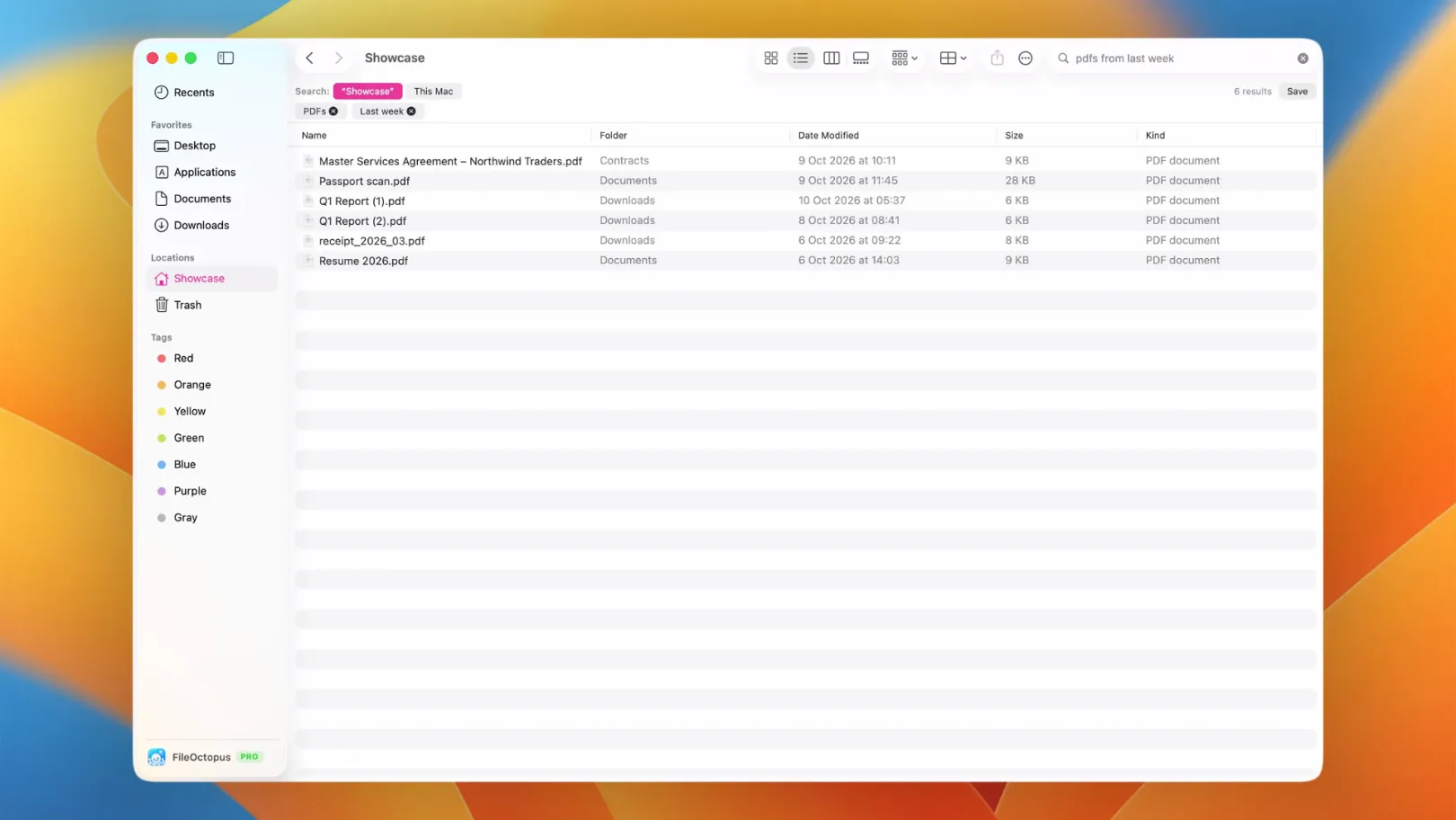
"Finder search is slow" is one of the most common complaints about the Mac, but we couldn't find anyone who had timed it. So we did: the same 146,190 files, the same four searches, Finder on one side and FileOctopus on the other, recorded at 60 frames per second and measured frame by frame.
We make FileOctopus, so read this with that in mind. The method, every trial and the limits of the test are on this page, including the one that matters most: the two apps were not searching for exactly the same thing.
The results
| Median of 12 searches | Finder (⌘F, default) | FileOctopus |
|---|---|---|
| First results on screen | 267 ms | Under 17 ms (the same frame as the typed text) |
| Results finished | 7,659 ms (2,367 to 12,117) | 267 ms (233 to 400) |
Finder showed its first matches quickly, then kept loading for several seconds. FileOctopus finished in about a quarter of a second. On "results finished", that is 7,659 ÷ 267 ≈ 29 times sooner.
Not like for like. Finder's default ⌘F search matches file names and contents. FileOctopus searched names only and lists the first 1,000 matches. A run with Finder set to names only has not been done yet; when it is, this page will be updated with the numbers, whichever way they go.
Setup
- Mac: MacBook Pro with Apple M3 Max, macOS 26.5.1 (25F80). Measured on 16 October 2026.
- Files: 146,190 entries (140,454 files) in a synthetic library of documents, photos, screenshots and project folders, generated by a script. No personal files were used.
- Same files for both apps: Spotlight doesn't index hidden folders, so Finder searched an APFS clone of the library in a normal folder. The two copies differ by 2 unreadable edge-case files.
- Spotlight was ready: before the Finder run,
mdfindfound 11,898 of 11,900 "invoice" files, 11,986 of 11,987 "report", 1,547 of 1,547 "budget" and 9,978 of 9,978 "screenshot". Finder was not waiting for indexing. - Scope: Finder searched the library folder. FileOctopus searched This Mac, which in this test was the same library (FileOctopus only searches folders you approve).
- Windows: both 1440×900 points, same position, List view.
- Build: a FileOctopus development (Debug) build from 16 October 2026. Release builds are optimized and normally faster, so this doesn't flatter FileOctopus.
Method
A script recorded the window at 60 fps. For each trial it pasted the query into the focused search field, waited 12 seconds and cleared the field. A second script then read the recording:
- Start: the first frame in which the pasted text appears in the search field.
- First results: the first frame in which the results area changes.
- Results finished: the last frame within 12 seconds in which the results area changes. Finder's "Loading…" indicator counts as a change, so this is the moment Finder stopped loading. Finder's suggestion menu under the search field is left out.
Each app got one warm-up round and three measured rounds of four queries: invoice, report, budget and screenshot. That is 12 measured searches per app.
Every trial
Times are "results finished", in milliseconds. At 60 fps one frame is about 17 ms, so values move in steps of 16 or 17.
| Query | Round | Finder | FileOctopus |
|---|---|---|---|
| invoice | 1 | 9,600 | 400 |
| report | 1 | 4,733 | 267 |
| budget | 1 | 12,117 | 233 |
| screenshot | 1 | 7,317 | 283 |
| invoice | 2 | 8,767 | 400 |
| report | 2 | 7,800 | 267 |
| budget | 2 | 10,400 | 250 |
| screenshot | 2 | 7,517 | 283 |
| invoice | 3 | 2,367 | 400 |
| report | 3 | 4,950 | 267 |
| budget | 3 | 9,500 | 250 |
| screenshot | 3 | 7,433 | 267 |
In Finder, the first results appeared after 183 to 417 ms. In FileOctopus they appeared in the same frame as the typed text in all 12 trials.
What this test doesn't show
- Different search types. Finder looked inside files as well as at names, which is more work. That is the default most people use, but it is not the same job.
- One Mac, one library. A slower Mac, a spinning disk, a network share or a folder full of large PDFs could change both numbers.
- The 12 second cap. One Finder trial (budget, round 1) was still loading when the cap ended it. The cap can only make Finder's numbers look better than they were.
- Not the whole story. Spotlight finds things FileOctopus doesn't look for by default, such as text inside documents in every folder. FileOctopus can search contents too, including text in screenshots and scanned PDFs, but you turn that on per folder.
Why the gap is so large
Finder's search asks Spotlight, the system-wide index, for every item whose name or content matches, then fills in the list as answers arrive. On a large folder that list keeps changing for seconds. FileOctopus keeps its own small index of file names for the folders you approve, so a query is a lookup rather than a system-wide request. The search guide explains the scopes, and Search settings shows how to choose which folders are indexed.
How to make Finder's own search faster
If you'd rather stay with Finder, two built-in settings help:
- Search the current folder. In Finder, choose Finder ▸ Settings ▸ Advanced and set "When performing a search" to "Search the Current Folder". Fewer files means less to check.
- Search names only. After you type in the search field, pick the "Name matches" suggestion from the menu below it. Finder then skips file contents.
If Finder finds nothing at all, the problem is usually the Spotlight index rather than speed. Check that the folder isn't listed under Spotlight's privacy exclusions in System Settings.
Reproduce it
The test needs no special tools: a screen recorder that saves 60 fps video, a folder with tens of thousands of files and a way to read frame numbers. If you run it on your own Mac, with names-only search in Finder or with another search app, we'd like to hear the numbers, good or bad. Post them in our Discord or write to support@fileoctopus.com, and we'll add them here with credit.