Comparisons
The best Finder alternatives for Mac in 2026, by what you need
Nine Mac file managers compared by need: servers and sync, many panes, free, cross-platform or Finder-like. Sourced, dated, with where each one wins.
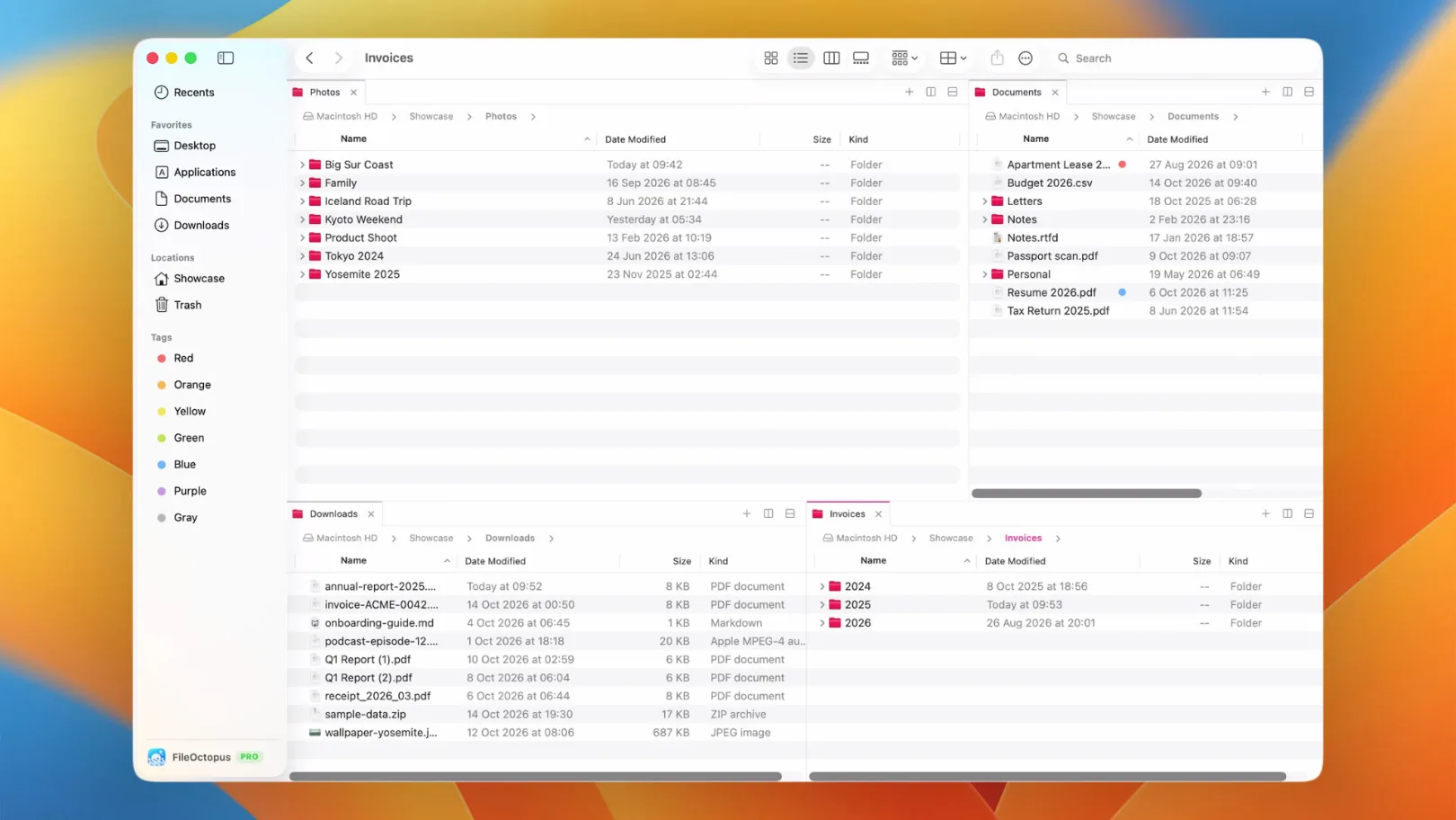
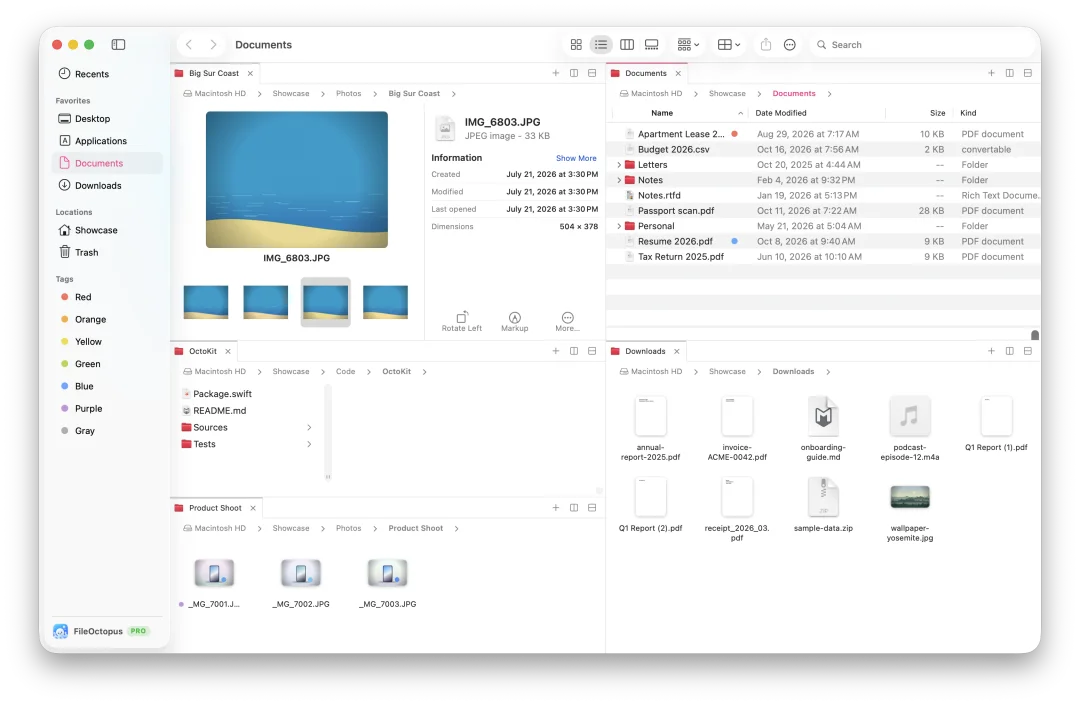
Most people who look for a Finder alternative want one of three things: two folders side by side, connections to servers and cloud storage that Finder doesn't handle, or a file manager they can drive entirely from the keyboard. No single app is best at all three, so this list is sorted by what you need.
Disclosure: we make FileOctopus, one of the apps below. To keep this useful we say where other apps are the better choice, take every competitor fact from the maker's own site or a dated review, and link the source. Everything was checked on 25 October 2026. Prices change often, so this page names the pricing model and links to each price list instead of quoting numbers.
Quick picks
| If you want | Look at |
|---|---|
| FTP, SFTP, S3 or folder sync | ForkLift 4, Commander One |
| The deepest feature set and a long track record | Path Finder |
| Many pane layouts on a small budget | QSpace Pro, Bloom |
| Something free | Nimble Commander (open source), Marta |
| The same app on Mac and Windows | Fileside |
| Finder's look and shortcuts with panes, fast search and safer copies | FileOctopus |
| Older macOS or an Intel Mac | Commander One, Path Finder, QSpace Pro, Nimble Commander |
How we picked
An app made the list if it is a general-purpose file manager for the Mac, is sold or maintained today, and has a website that states what it does. We left out search-only tools such as HoudahSpot and Find Any File; they are good, but they don't replace Finder. Order within the list is not a ranking.
ForkLift 4
ForkLift calls itself a "dual pane file manager and FTP client". Beyond two panes it connects to SFTP, FTP, WebDAV, Amazon S3, Backblaze B2, Google Drive, OneDrive, Dropbox, SMB and NFS, syncs folders one way or both ways, renames in batches and shows Git status. Updates come every few weeks; version 4.7.7 shipped on 20 October 2026.
- Best for: anyone who moves files between a Mac and servers or cloud storage every day.
- Keep in mind: it has its own look rather than Finder's, and a license includes one or two years of updates.
- Price model: one-time license with a period of updates (price list). Needs macOS 14.6 or later.
Path Finder
Path Finder from Cocoatech has been around for more than two decades. Version 26 brought a redesign with shelves and modules, dual panes, folder compare, a duplicate finder and 20 languages, according to TidBITS. Some lists call it discontinued; it isn't, and it is updated through 2026.
- Best for: power users who want everything in one window, including folder compare.
- Keep in mind: the module system takes time to learn, and the license is a subscription or a fixed-term license.
- Price model: yearly subscription or 1, 2 or 5 year licenses, also part of Setapp (cocoatech.io). Runs on macOS 10.13 or later.
Commander One
Commander One is a two-pane commander with unlimited tabs, an operations queue, archives (ZIP, RAR, 7Z, TAR), FTP, SFTP and WebDAV, cloud storage including S3, and access to iPhone, Android and MTP devices. Version 3.18 came out on 25 September 2026.
- Best for: people who work with archives, phones and remote servers.
- Keep in mind: the Mac App Store version is separate and more limited than the one from the website.
- Price model: one-time license per Mac (price list). Runs on macOS 10.13 or later, Intel and Apple Silicon.
QSpace Pro
QSpace Pro, subtitled "a better Finder", offers 12 window layouts, a shelf for collecting files, batch rename with regular expressions and a preview, more than 20 archive formats and more than 20 server and cloud services.
- Best for: lots of layouts and remote access at a low price.
- Keep in mind: it has no dated changelog on its site, so it is harder to see how often it is updated.
- Price model: pay once, up to 2 Macs, often on promotion (price list). Runs on macOS 10.15 or later.
Bloom
Bloom is a newer app with up to 12 pane layouts, workspaces, a "Footprints" history you can undo from, rename with regular expressions and archive browsing. Digital Trends reviewed it in August 2026 and noted that ⌘F searches the current folder by default.
- Best for: people who want a modern multi-pane window at a low one-time price.
- Keep in mind: it is young, like FileOctopus, so expect gaps.
- Price model: one-time purchase for up to 3 Macs, per reviews. Needs macOS 14 or later.
Marta
Marta is a keyboard-first two-pane manager with Lua plugins, a text-based configuration, themes, archives and a built-in terminal. It is funded through Patreon and free to download.
- Best for: developers who like to configure and script their tools.
- Keep in mind: the latest release we could find is 0.8.2, and the site's footer ends in 2024. Check that it runs well on your macOS version.
- Price model: free download (marta.sh).
Nimble Commander
Nimble Commander is a free, open-source commander with file search, a viewer, batch rename, a terminal, archives, FTP, SFTP and WebDAV, and an admin mode for protected folders. Version 1.8.0 (December 2025) was updated for macOS Tahoe.
- Best for: a capable free option with source code you can read.
- Keep in mind: the interface follows the classic commander style rather than Finder's.
- Price model: free and open source (magnumbytes.com). Runs on macOS 11 or later.
Fileside
Fileside saves multi-pane layouts as workspaces, previews files inline, searches subfolders breadth-first and can undo both layout changes and file operations. It runs on Mac and Windows; its developer writes that it is built with Electron.
- Best for: people who use both a Mac and a Windows PC and want one tool on both.
- Keep in mind: menus and text fields come from the app rather than from macOS.
- Price model: one-time license for all your machines (fileside.app).
FileOctopus
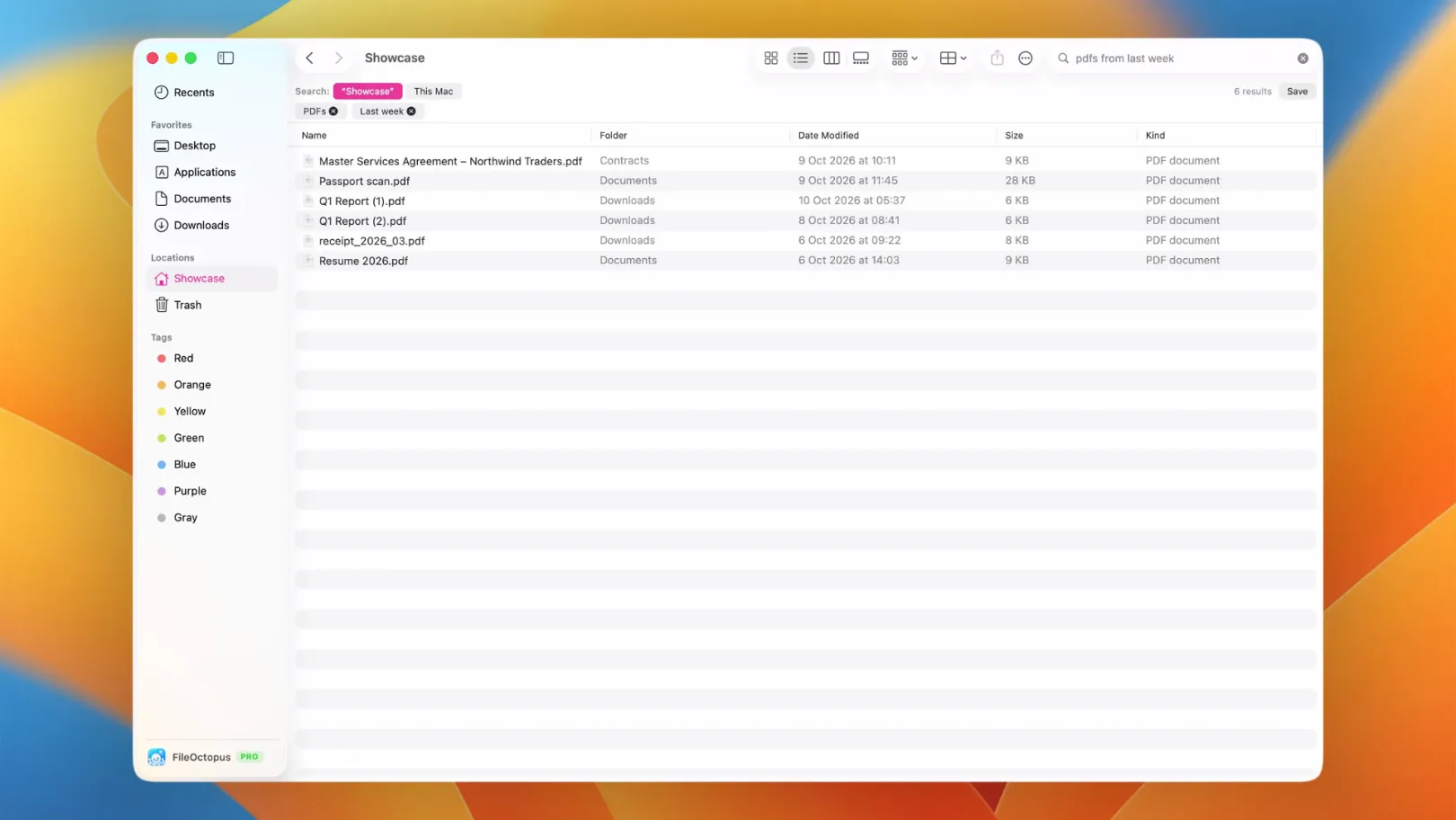
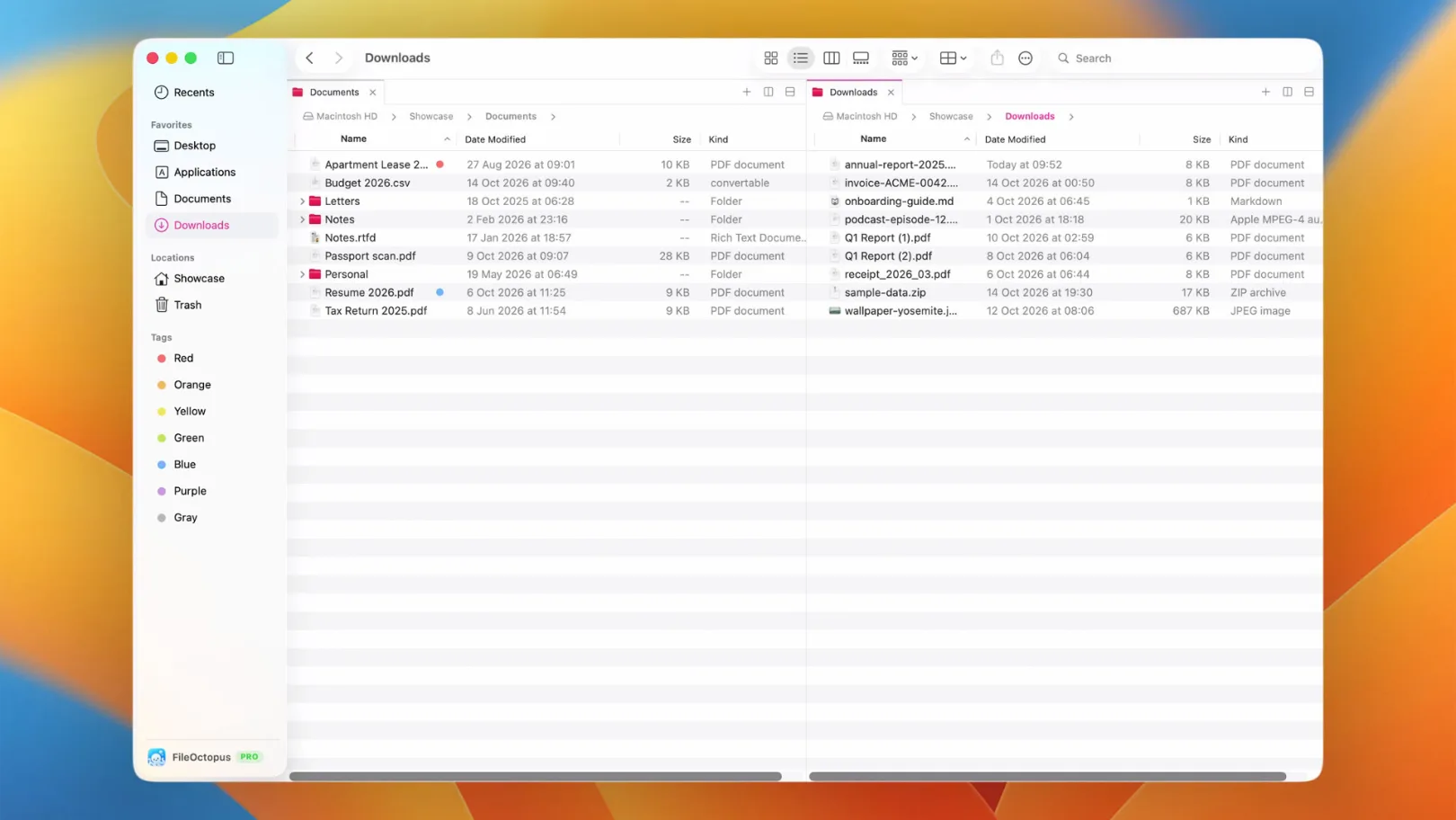
FileOctopus is our app. It keeps Finder's four views, sidebar, tabs, Quick Look and shortcuts, and adds side-by-side panes, a filename search that returns results as you type, copies and moves you can pause, conflict questions that default to keeping both files, and Undo that still works after you quit. It is written in Swift and AppKit. The FileOctopus vs Finder page has the full comparison, and our search benchmark shows how the search was timed.
- Best for: people who like Finder and want the missing parts, without learning a new interface.
- Keep in mind: it needs macOS 15 or later on Apple Silicon, and it has no SFTP or S3 client, no folder sync or compare and no built-in terminal. The limits page lists the rest.
- Price model: a Free plan with no time limit, and PRO as a one-time purchase with a 14-day trial (pricing).
When Finder is enough
If you mostly open recent files, you may not need any of these. Finder already has tabs (⌘T), a path bar (View ▸ Show Path Bar), Smart Folders for saved searches, and a merge when you Option-drag a folder onto one with the same name. Try those first; switch when you keep running into the same wall.
Questions people ask
Is there a free Finder alternative?
Yes. Nimble Commander is free and open source, and Marta is a free download. FileOctopus has a Free plan with two panes, file operations with Undo, batch rename and search.
Can I replace Finder completely?
No app can remove Finder: macOS uses it for the Desktop and other parts of the system. These apps run next to it. Some offer to open folders in place of Finder from other apps; FileOctopus leaves Finder untouched.
Which one connects to servers?
For SFTP, S3 or editing files on an FTP server, look at ForkLift 4, Commander One, QSpace Pro or Nimble Commander. FileOctopus has Connect to Server like Finder: SMB, AFP, NFS, WebDAV and FTP addresses are mounted the way macOS mounts them (macOS mounts FTP read-only).
Sources
Checked on 25 October 2026: ForkLift, ForkLift release notes, TidBITS on Path Finder 26, Commander One, QSpace Pro, Digital Trends on Bloom, Marta, Nimble Commander release notes, Fileside. Spotted a mistake or an update we missed? Write to support@fileoctopus.com and we'll correct it.